








Closet apps, compared
English
Digital Wardrobe

The guide · Browser extensions

10 digital wardrobe browser extensions, compared

They all save clothes from online shops. They differ in what happens next: whether a whole order goes in at once, whether the photo is cleaned up, and whether a new piece is checked against what you own.

At a glance

Digital wardrobe browser extensions compared on 13 features
FeatureWeartonAclosetWheringOpenWardrobeWearMeMYMIKADesmodasGarde-RobeWontsyCATWLK
Save from any shop page
Import a whole cart or order in one step
Closet for the clothes you own
Wishlist for pieces you want
Category and colour filled in for you
Photo put on a clean background
Colour season match for each piece
Shows what a new piece goes with in your closet
Warns when you already own something similar
Virtual try-on of a shop's piece on your photo
Side panel that stays open while you shop
Phone app with the same closet
Share a list with friends
Features12/137/135/135/135/134/134/133/133/133/13
Works in
Chrome
Edge
Firefoxcoming soon
Safaricoming soon

one of its store listings shows the feature its listings do not mention it

The extensions

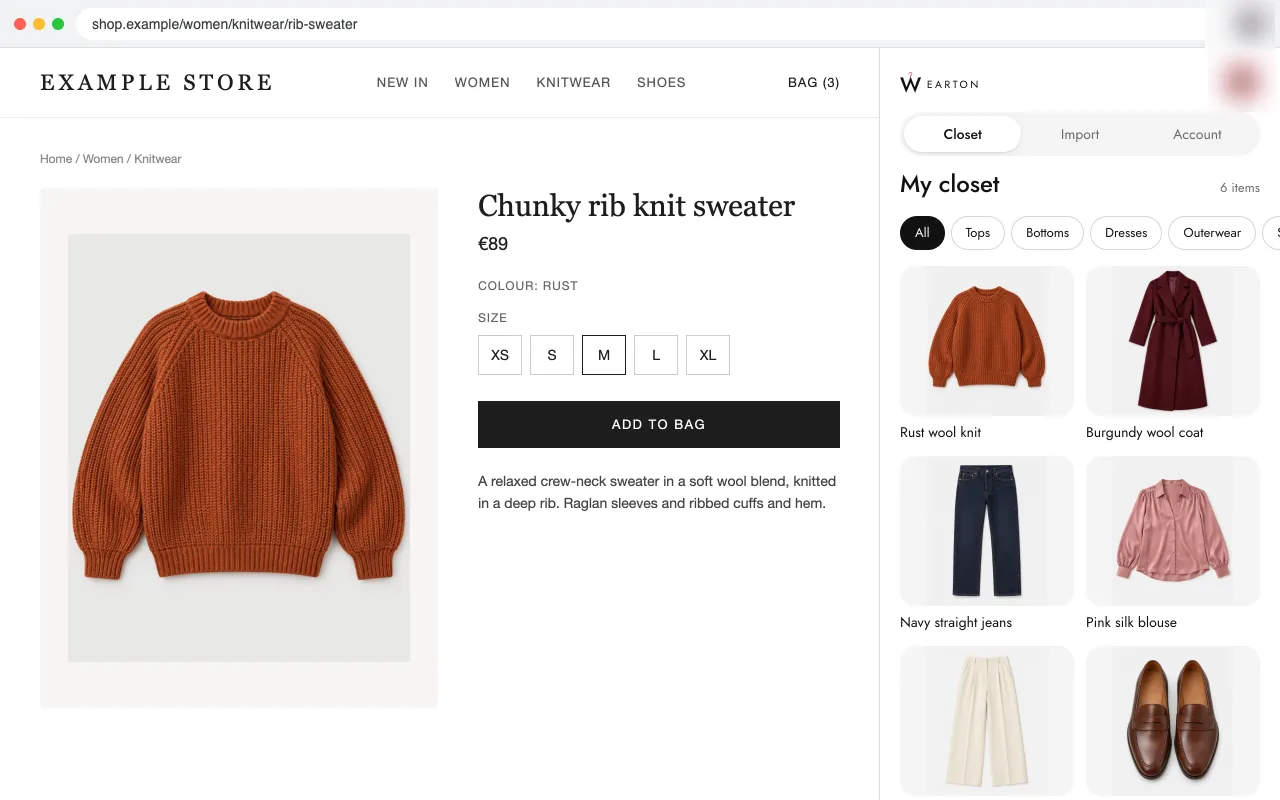
Wearton side panel with a closet of six clothing items, next to a shop's product page

Wearton

Wearton saves clothes from any online shop to your closet or wishlist. Open a cart, an order or a product page and it finds every clothing item on it, so a whole order goes in at once without a single photo. Each piece you consider shows if it suits your colour season, how many things you own it goes with, and whether you already have something very close.

  • Imports a whole cart or past order in one step
  • Puts each photo on a clean white background and fills in category, colour and name
  • Colour season match on every piece, from one selfie

Suits you if you want one closet and one wishlist for every shop, and want to stop buying things that do not suit you or that you already own.
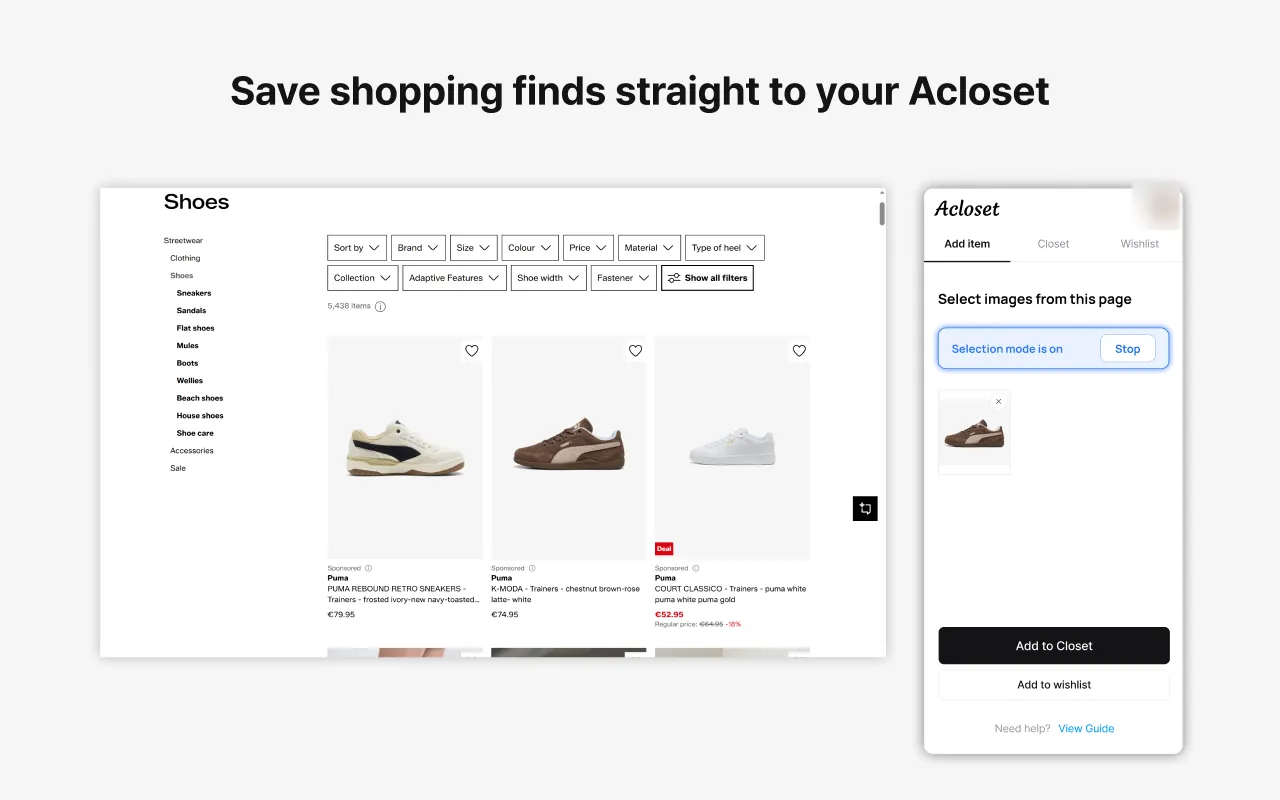
Acloset side panel next to a shop page, saving a dress to the closet

Acloset

Acloset's extension adds clothes from a shopping page to an Acloset closet. You click "Start selection" in the side panel, then click a clothing image, and the item's category, colour and brand are filled in. Its screenshots also show how wishlist items fit your closet. An account must first be made in the Acloset mobile app.

  • Side panel with your closet
  • Category, colour and brand filled in by AI
  • Shows how wishlist items fit your closet

Suits you if you already use the Acloset phone app and only need to add single items from the desktop.

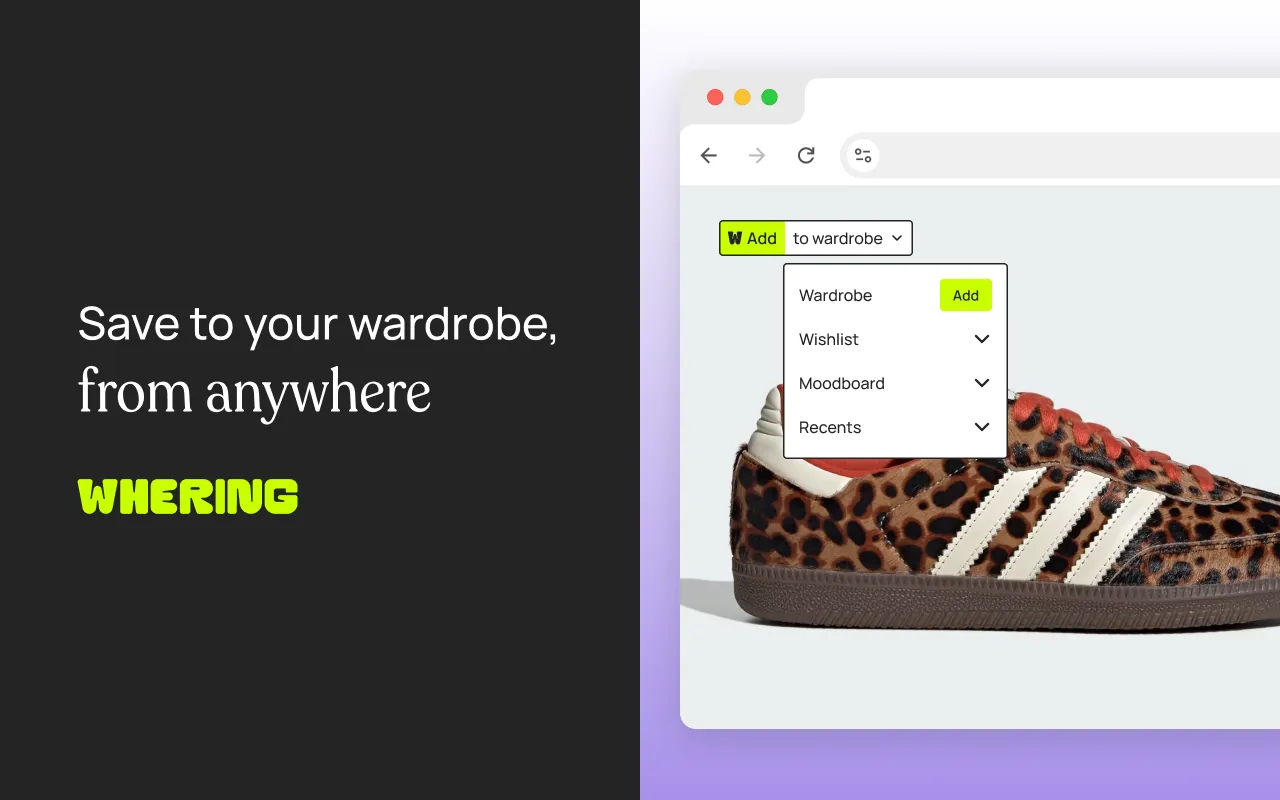
Whering save menu on a sneaker photo: wardrobe, wishlist or moodboard

Whering

Whering's extension puts a save button on product images. You hover over an image, click it, and send the piece to your Whering wardrobe, wishlist or moodboard. To add past purchases, you go back to the shop and save each piece from its page.

  • Saves to a wardrobe, a wishlist or a moodboard
  • Wishlists can be shared with friends and family
  • Works with the Whering phone app

Suits you if you already use the Whering app and want a moodboard for outfit ideas from Pinterest.

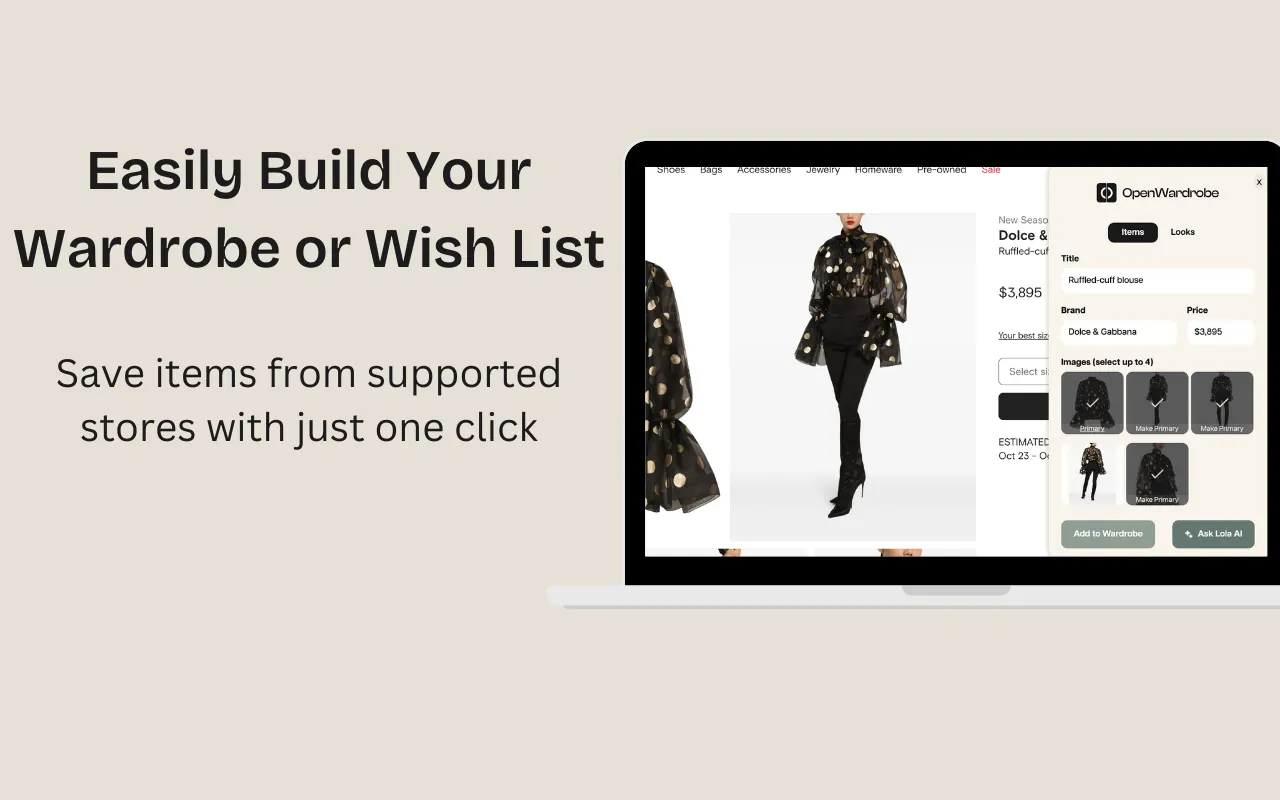
OpenWardrobe panel saving a blouse to a wardrobe or wish list

OpenWardrobe

OpenWardrobe saves fashion items to a digital wardrobe or a wishlist. Its listing says it shows how an item fits into the wardrobe you have and its possible resale value. Wishlists can be shared for gifts.

  • Shows a possible resale value before you buy
  • Compares saved items with your wardrobe
  • Shareable wishlists for gifts

Suits you if you care most about the resale value of what you buy.

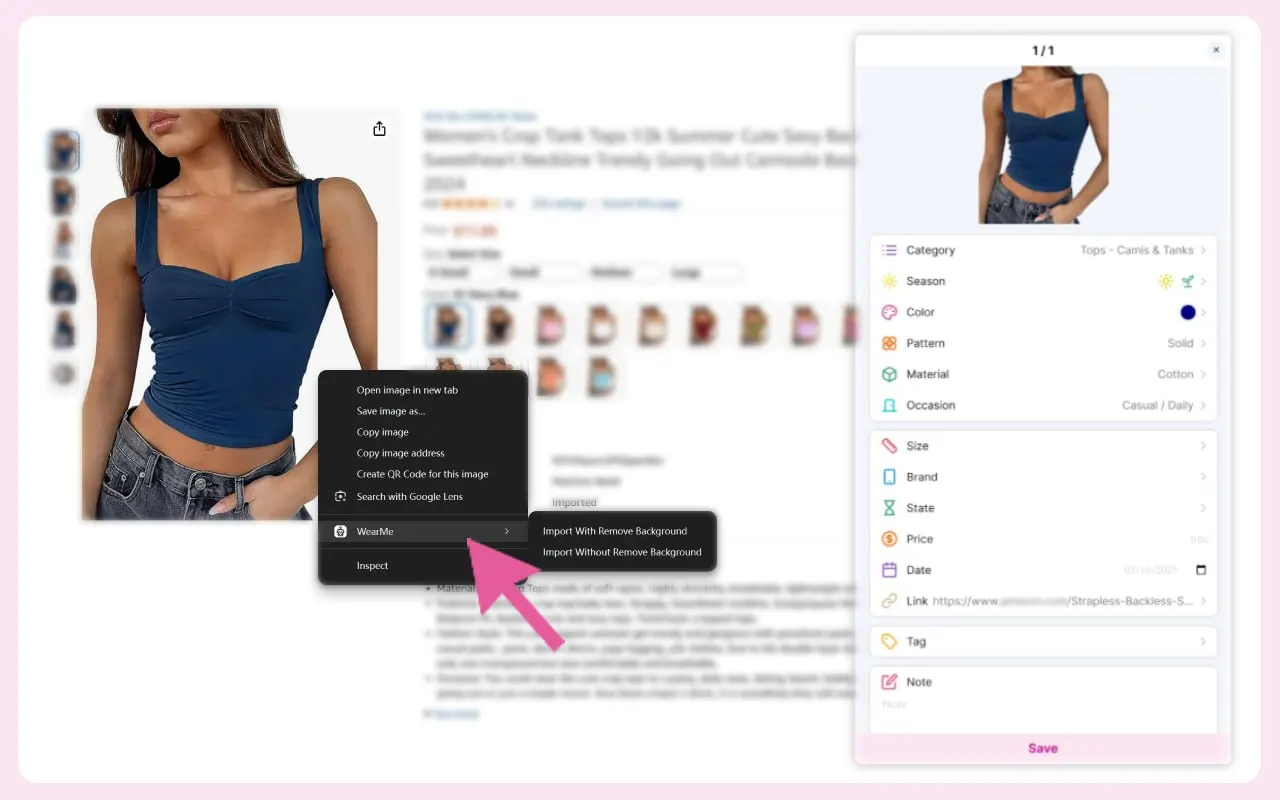
WearMe right-click menu on a shop's product photo, next to the import panel with the category, colour, pattern and material filled in

WearMe

WearMe's add-on puts a WearMe item in the right-click menu of any image on a web page. You choose "Import With Remove Background" or "Import Without Remove Background", and the picture goes to your WearMe wardrobe. Its screenshots show the category, season, colour, pattern, material and occasion already filled in. You link the add-on to your account with a token made on your WearMe profile page; try-on, outfit collages and the outfit calendar are in the WearMe app.

  • Saves any image on a web page from the right-click menu
  • Background removal is a choice at each import
  • Category, season, colour, pattern, material and occasion filled in

Suits you if you use Firefox and want to save single pieces from any site into a WearMe wardrobe to try them on.

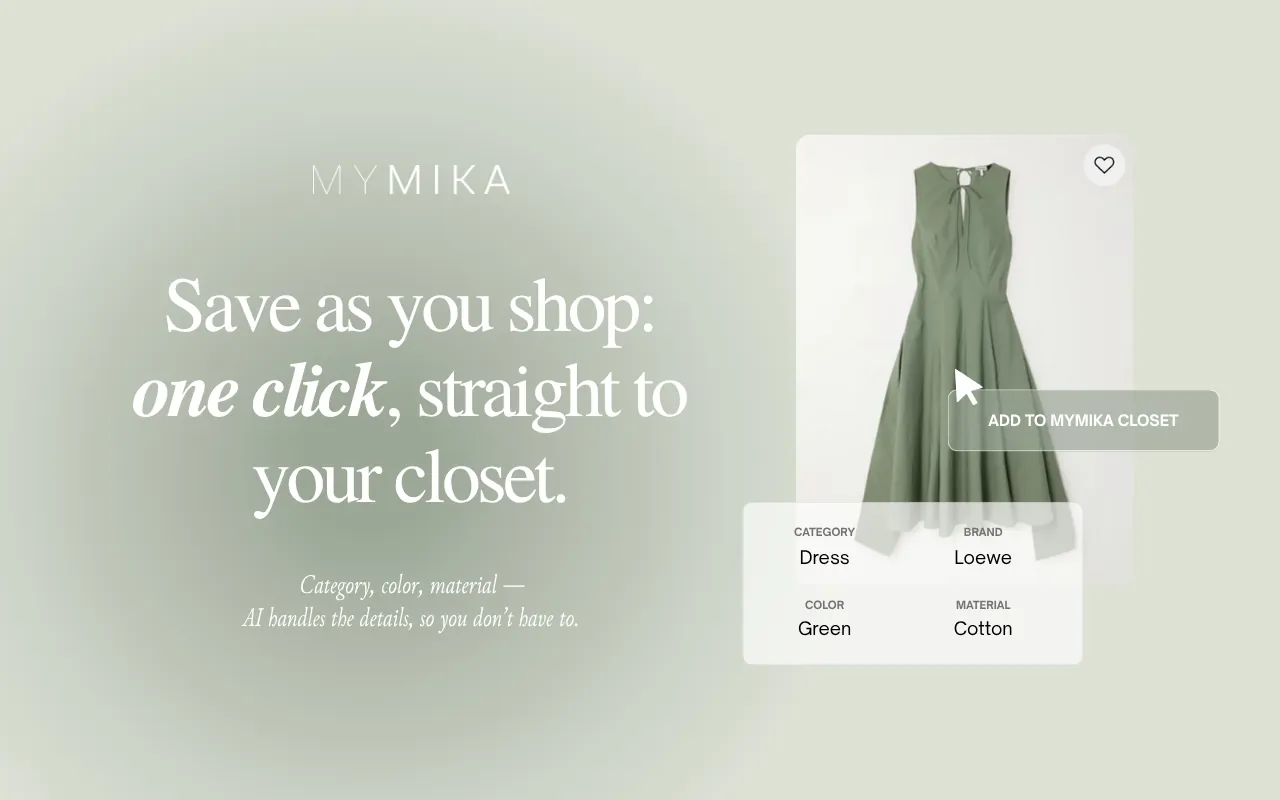
MYMIKA saving a dress with its category, brand, colour and material filled in

MYMIKA

MYMIKA adds an "Add to MYMIKA Closet" item to the right-click menu on product images. The saved piece gets its category, colour and material filled in, and its screenshots show it finding pieces you own that go with a new one. The listing does not mention a wishlist.

  • Right-click to save
  • Category, colour and material filled in
  • Finds pieces you own that go with a new one

Suits you if you already keep your closet in MYMIKA.

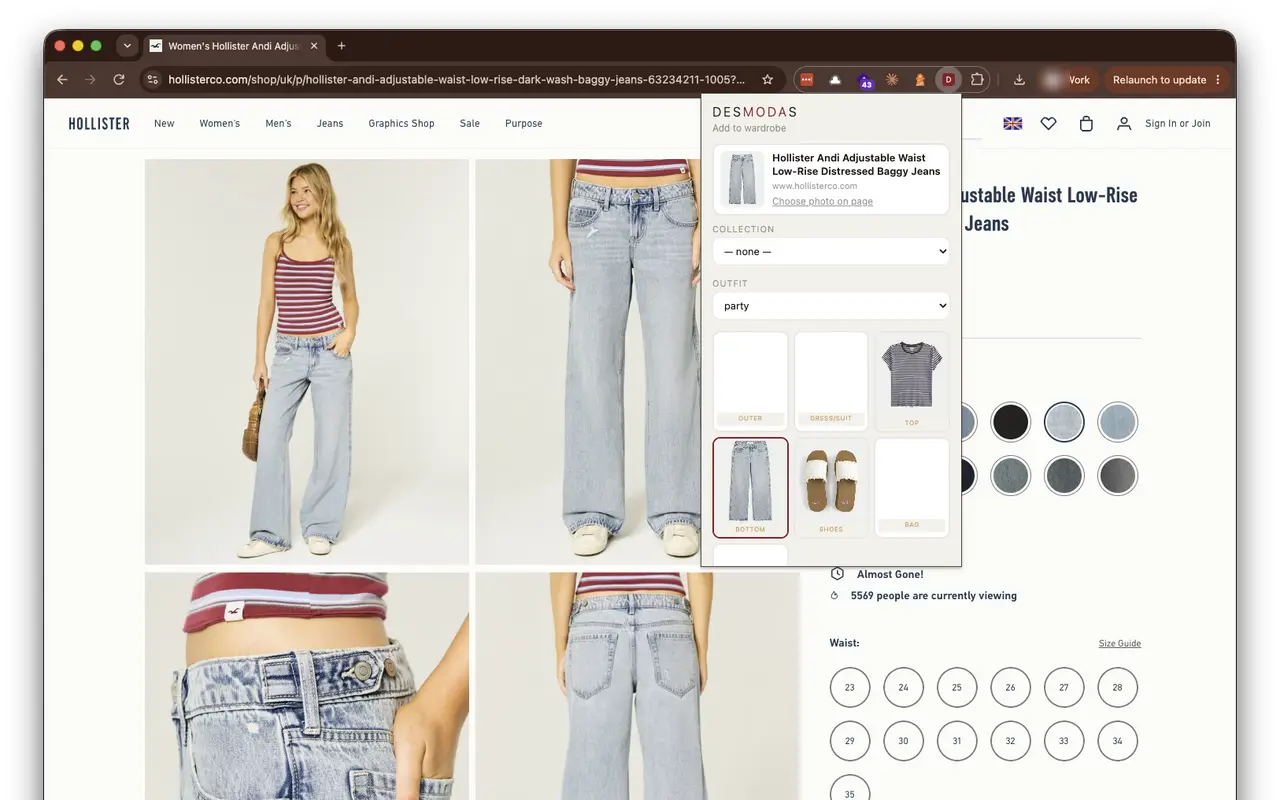
Desmodas popup on a shop's jeans page, adding the jeans to the bottom slot of an outfit

Desmodas

Desmodas adds a product from any shop to a collection or an outfit in your Desmodas wardrobe. The popup reads the name, image and price from the page and shows the outfit slots (outer, dress or suit, top, bottom, shoes, bag, accessories), so you choose where the piece goes. Once a piece is saved, Desmodas can generate a picture of you wearing it, from a body shape or your photo, in a pose and scene you pick. Try-ons use credits, and a few are free when you sign up.

  • Reads the name, image and price from any product page
  • Builds outfits slot by slot from the popup
  • Try-on of one piece or a whole outfit, with a pose and scene you choose

Suits you if you want to see shop pieces on yourself and put outfits together before you buy.

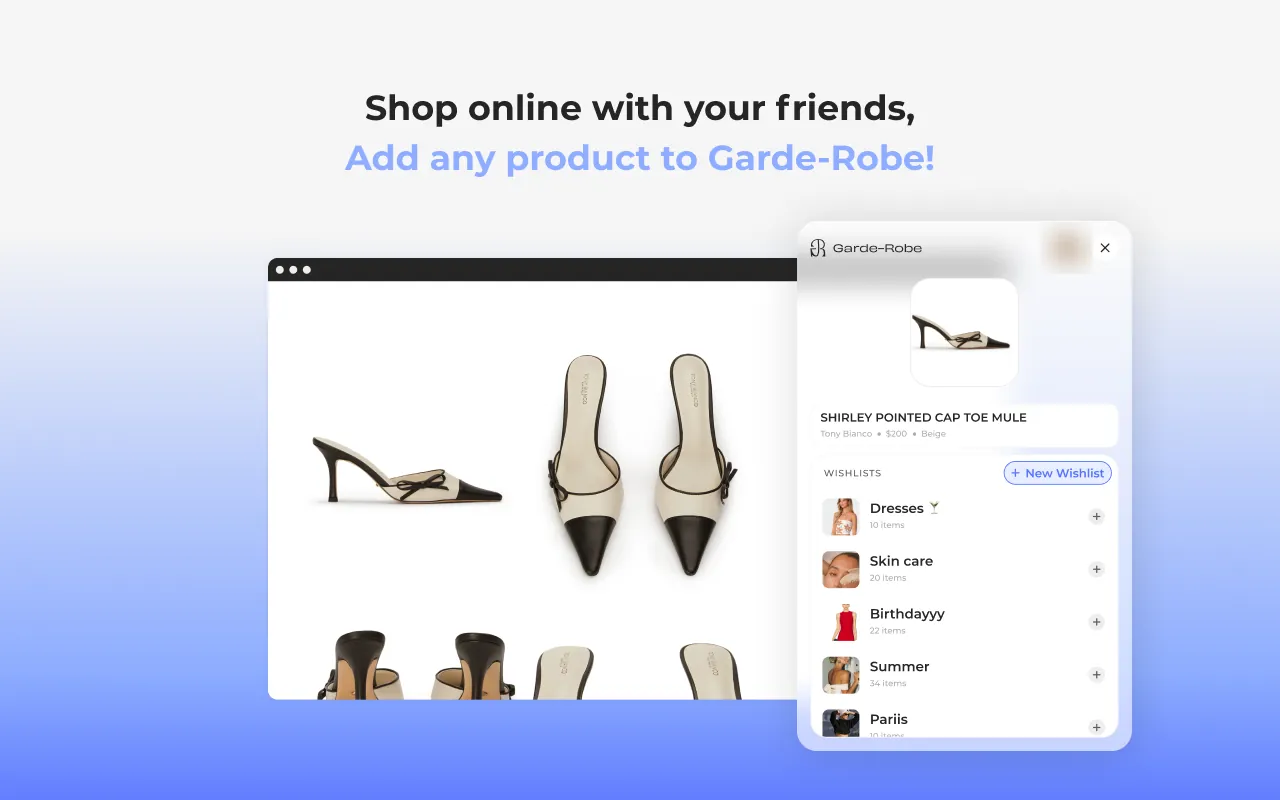
Garde-Robe panel saving a shoe to one of several wishlists

Garde-Robe

Garde-Robe saves products from any shop to a wishlist and tells you when a saved product goes on sale. You can also see what your friends are shopping for. Its listing does not mention a closet for the clothes you own.

  • Sale alerts for saved products
  • Works with any product, not only clothes
  • Shop with friends

Suits you if you mainly want to wait for a sale on things you have saved.

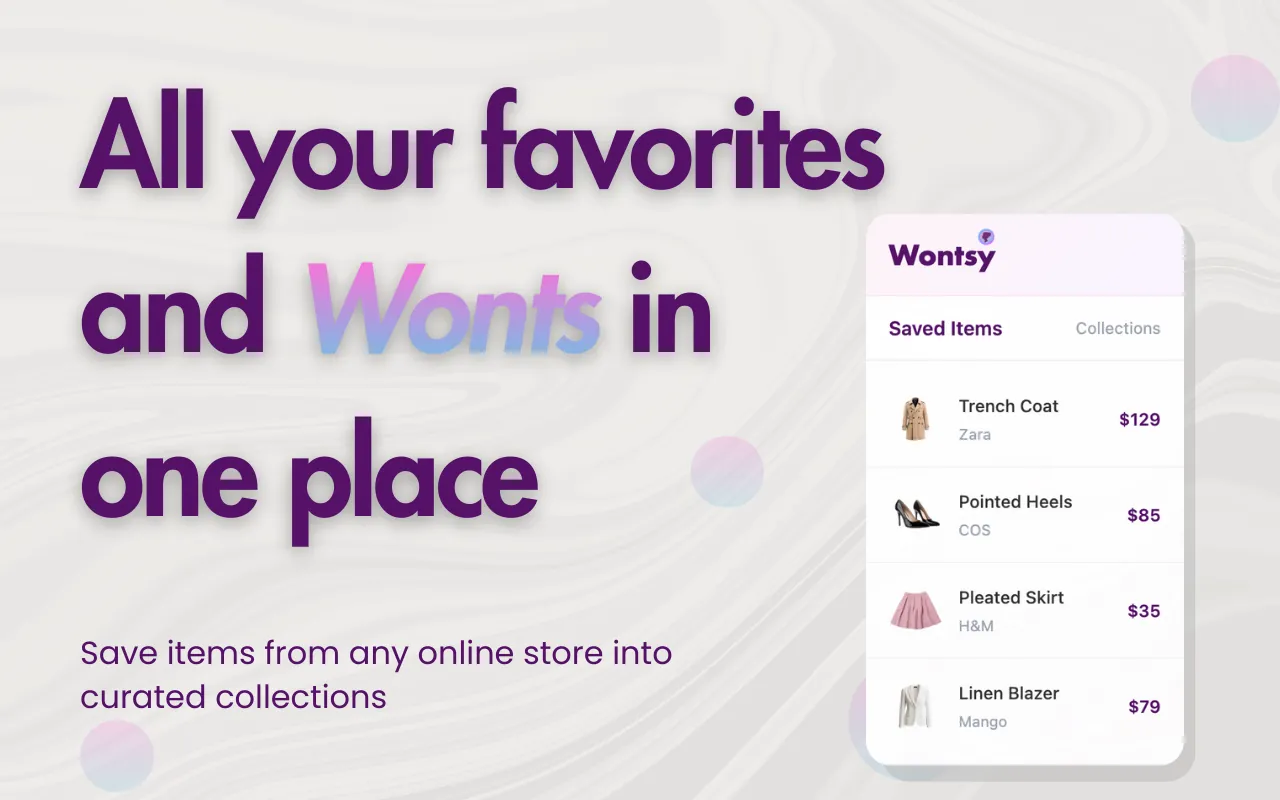
Wontsy list of saved items with their prices

Wontsy

Wontsy saves items from any store to one visual wishlist. You can build outfit collages from saved items, get price-drop alerts and share lists as gift registries. Its listing describes it as Pinterest for your wishlist.

  • Outfit collages from saved items
  • Price-drop alerts
  • Gift lists and registries

Suits you if you want a gift list or a moodboard of things to buy, not a record of what you own.

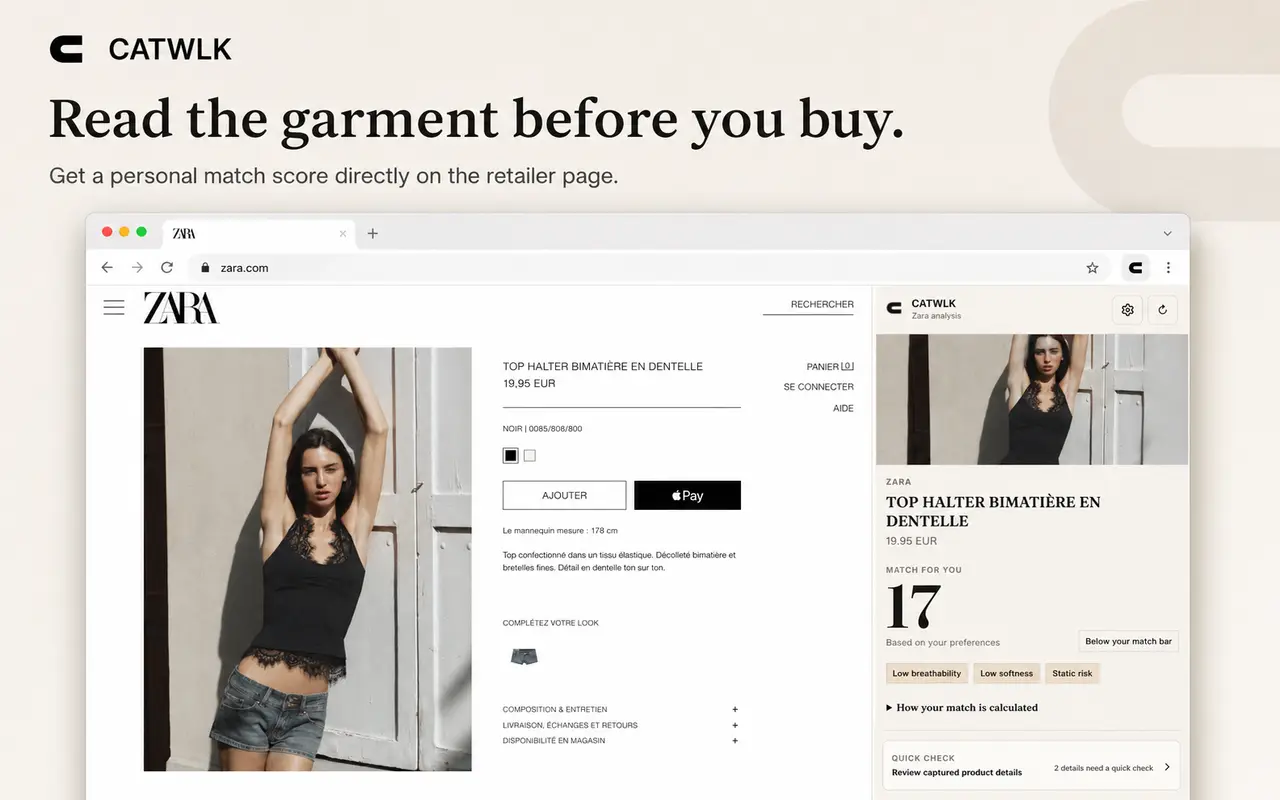
CATWLK panel beside a Zara product page, with a match score of 17 and tags for low breathability, low softness and static risk

CATWLK

CATWLK reads a clothing product page and shows, in a panel beside it, a match score from your own priorities, the fibre mix, the likely feel, the care needs and a cost-per-wear estimate. It reads 15 named shops, such as Zara, H&M, Mango, Uniqlo, COS, ASOS and Zalando, and tries a one-time capture on other shops when you ask it to. You can save products, record purchases and wears, and compare two to four products side by side. It is made for shoppers and for independent personal stylists: CATWLK Pro adds a workspace for client edits and review links.

  • Match score from the fibres, feel, care and value you choose
  • Fibre breakdown, likely feel and care needs for each piece
  • Compares two to four products side by side, with cost per wear

Suits you if you care most about fabric, care and cost per wear, or work as a personal stylist and choose clothes for clients.

How we compare

  1. We searched the Chrome Web Store in 12 languages, and Edge Add-ons, Firefox Add-ons and the App Store (for Safari), for closet, wardrobe and wishlist extensions. We kept the ones made for clothes you own or want to buy.
  2. For each one we read its store listings, text and screenshots, and marked the 13 features. A feature counts only when one of its listings shows it.
  3. Lists and tables are in order of features.
  4. Users, ratings and languages are the numbers the stores showed on October 7, 2026. Users are added up over all stores. Images are from each extension's store listing.

Questions

What is a digital wardrobe extension?

A browser extension that saves clothes from online shops to a digital closet or wishlist, so you can see what you own and what you want in one place.

Can I add clothes I already bought without taking photos?

Wearton imports a whole cart or past order in one step: open the order in your shop account and every clothing item on the page is added. With Whering you go back to each product page and save the piece from there.

Which extensions are free?

Wearton and Wontsy say in their listings that they are free. OpenWardrobe says you sign up for a free account. The other listings do not say.

Which extension shows if clothes suit my colours?

In this guide only Wearton shows a colour season match for each piece. It finds your season, undertone and palette from one selfie.

Which extensions also have a phone app?

Wearton, Acloset and Whering keep the same closet in a phone app. Acloset needs the app to make an account.

Which extensions work in Edge, Firefox or Safari?

CATWLK is in all four stores: Chrome, Edge, Firefox and Safari. Wearton and Desmodas are in the Chrome and Edge stores, and WearMe is in Firefox Add-ons only. The other extensions in this guide are in the Chrome Web Store only. Wearton's versions for Firefox and Safari are coming soon.