









Closet apps, compared
English
Digital Wardrobe

The guide · Closet apps

12 closet apps for iPhone and Android, compared

They all keep photos of your clothes. They differ in how the clothes get in, whether the app makes outfits for you, and what it tells you about what you wear.

At a glance

Closet apps for iPhone and Android compared on 12 features
FeatureAclosetFitsWeartonWheringCladwellPurepleIndyxBeauty AIStylebookCluelessNouvaGoogle Photos
Photo put on a clean background
Category and colour filled in for you
Add clothes from a shop's website or a link
Import past orders without photos
Build outfits yourself
Outfit ideas made for you
Outfit calendar
Wear count or cost per wear
Outfits for the weather
Finds your own colours
Virtual try-on
Wishlist for pieces you want
Features12/1212/1211/129/129/128/128/127/127/125/125/124/12

its listings or website show the feature they do not mention it

The apps

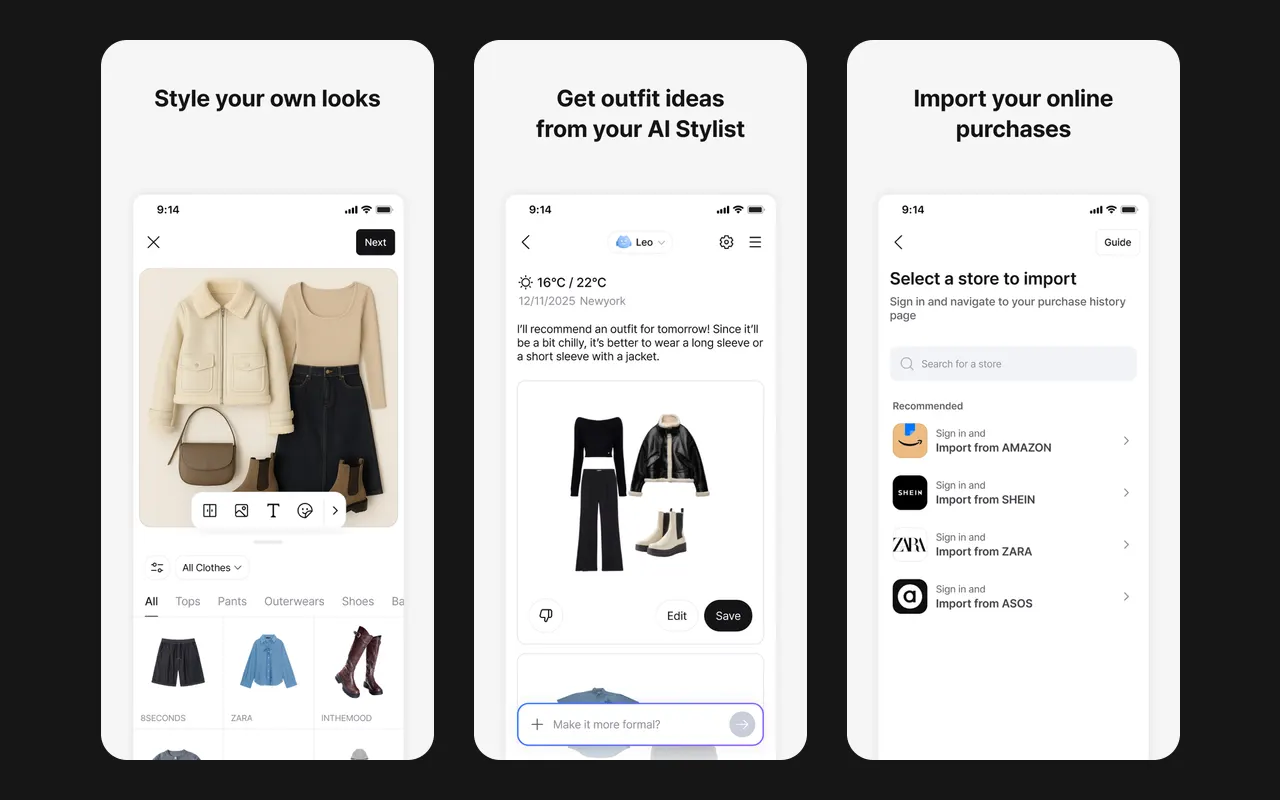
Three Acloset screens: an outfit you style yourself, outfit ideas from the AI stylist with the weather, and import from online shops

Acloset

Acloset is a closet app with an AI stylist you can chat with. You add clothes by photo, from an online search, or by importing your purchases from shops and Gmail, and the app cleans up the photos. It suggests outfits for the weather and your schedule, keeps an outfit calendar and shows cost per wear.

  • Imports past purchases from shops such as Amazon, Zara, Shein and ASOS, and from Gmail
  • AI stylist chat with daily outfit ideas for the weather
  • Personal colour analysis and virtual try-on

Suits you if you want an AI stylist and a quick way to bring in the clothes you bought online.
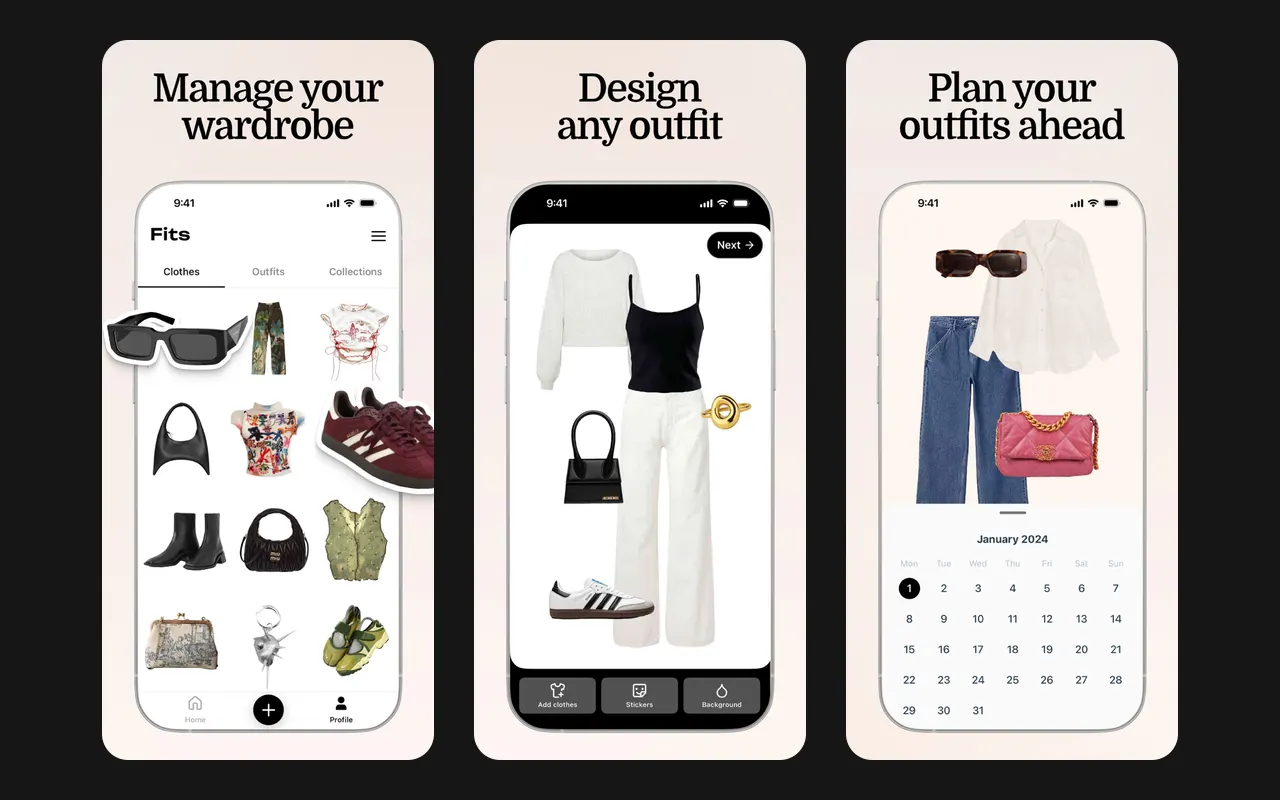
Three Fits screens: a closet grid, an outfit on a canvas, and an outfit calendar

Fits

Fits turns photos of your clothes into a closet: it removes the background and finds the category, colour, season and sometimes the brand. You make outfits on a canvas or by swiping clothes onto a mannequin, plan them on a calendar, and get outfit ideas from an AI stylist. It also has a colour analysis from a selfie, virtual try-on, wishlists and wear stats.

  • Unlimited items and background removal for free
  • Many ways to add clothes: photos, web search, a built-in shop browser, forwarded email receipts
  • Outfit canvas and a swipe-to-dress mannequin

Suits you if you want one app for everything, from importing old orders to outfit ideas and try-on.

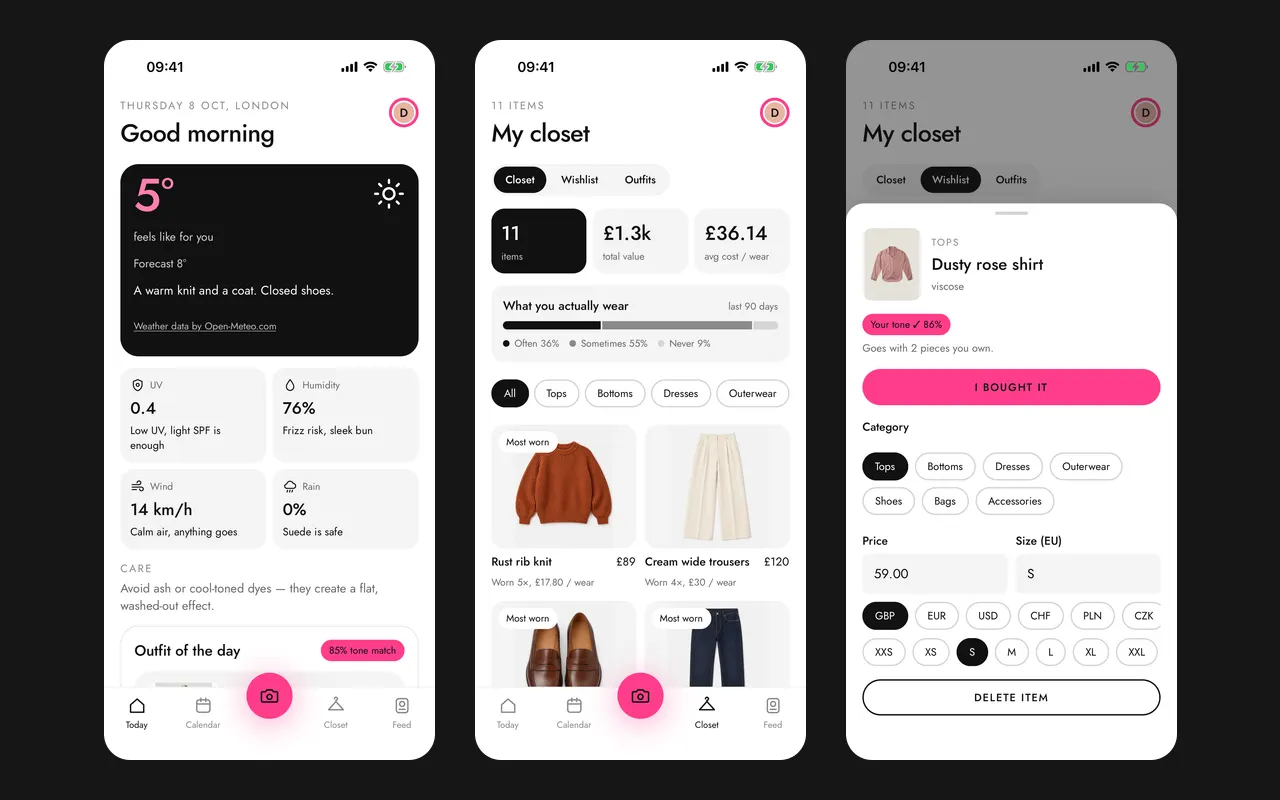
Three Wearton screens: today's outfit for the weather, the closet with cost per wear, and a new piece with its colour match

Wearton

Wearton finds your colour season, undertone and palette from one selfie, then keeps your closet: each photo is put on a white background and its category, colour and material are filled in. Every morning it gives an outfit for the weather and your plans, and it can plan outfits for the events in your calendar. Clothes come in by photo, from a shop's page or from an order, and a wishlist shows how a piece you want fits what you own.

  • Colour season match on every piece, from one selfie
  • Today's outfit for the weather, adjusted to how warm or cold you feel
  • Imports a whole order from a shop page or an order email

Suits you if you want an app that knows your colours and tells you what to wear today.

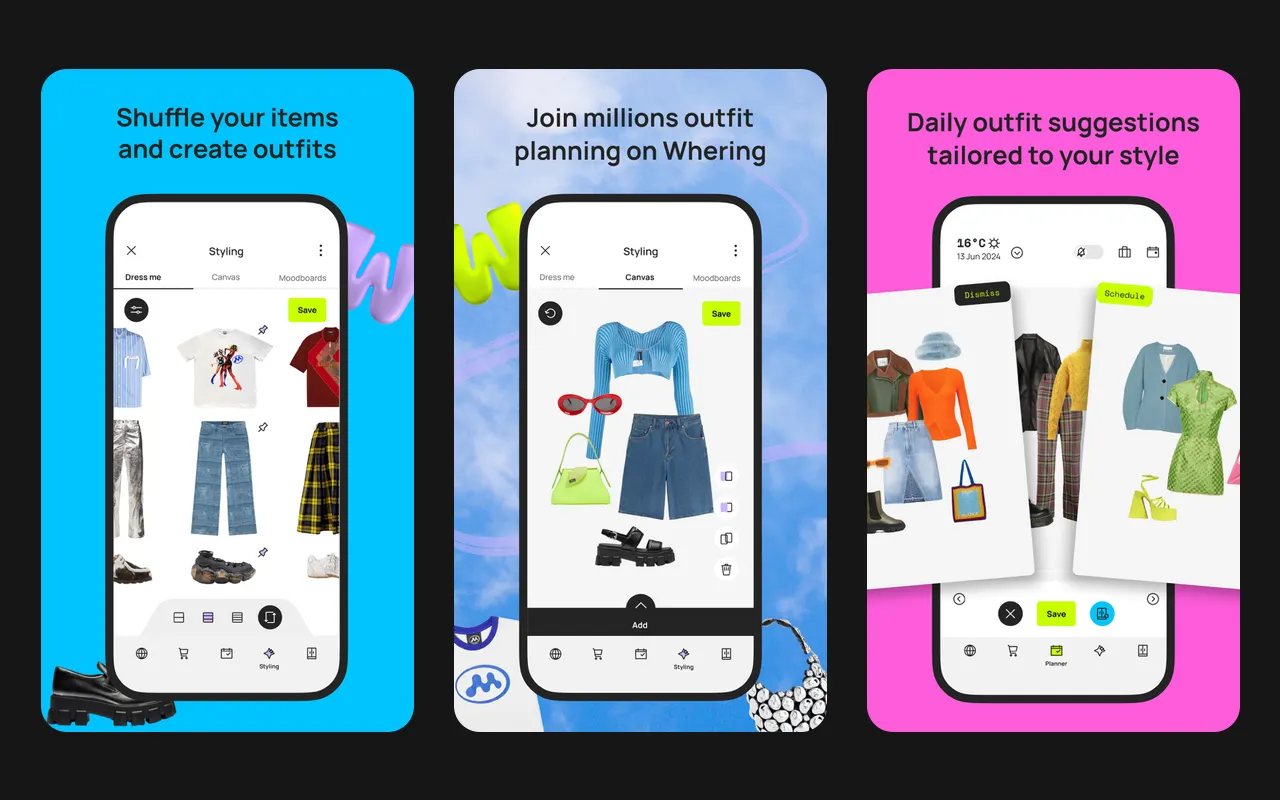
Three Whering screens: Dress Me shuffling clothes into an outfit, an outfit canvas, and daily outfit ideas with the temperature

Whering

Whering lets you put your whole closet in the app: take a photo, pick a piece from its database, or save it from a shop's website. You make outfits on a canvas or shuffle pieces with Dress Me, and plan them in a calendar. Stats show cost per wear and how often you wear each piece.

  • Free closet with no item limit
  • Add pieces by photo, from a database of 100 million items, or from shop websites
  • Cost per wear and wear rate for each piece

Suits you if you want a free closet with stats and like to share outfits with friends.

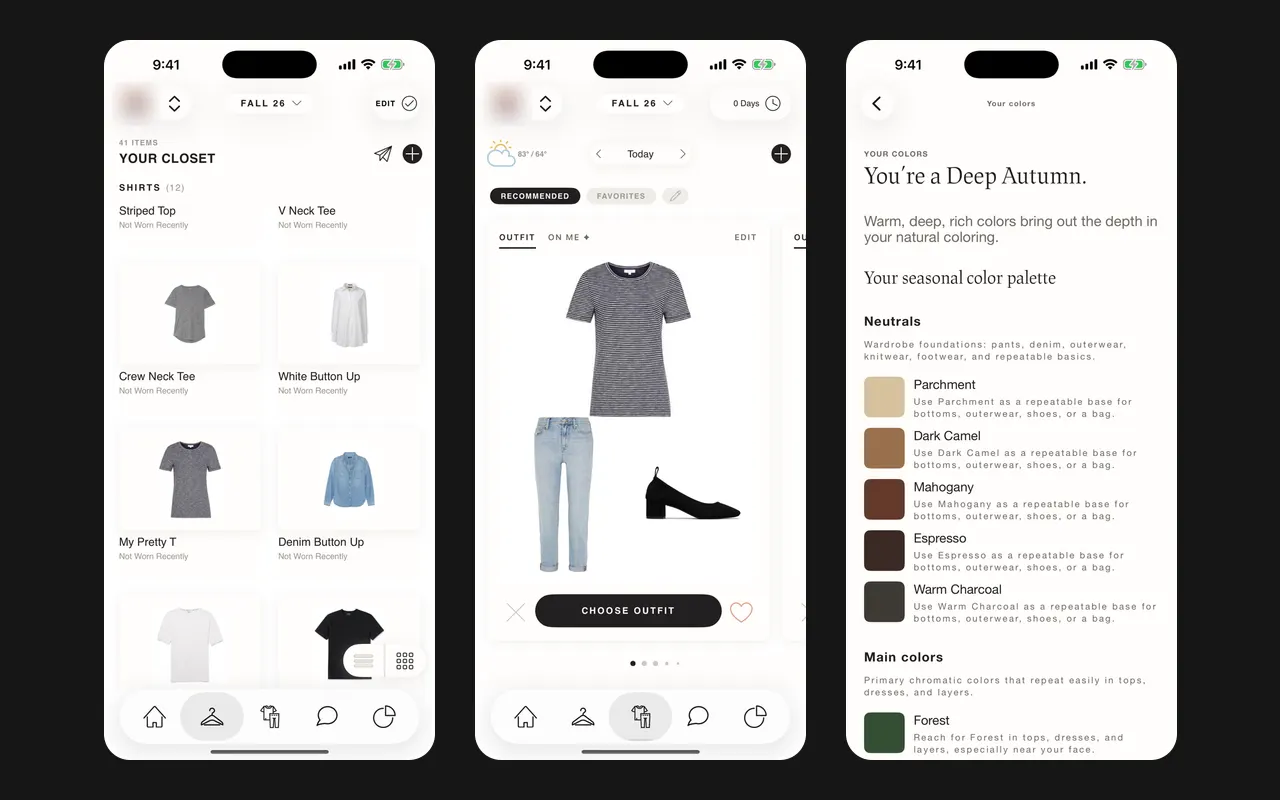
Three Cladwell screens: the closet, today's outfit with the weather, and a Deep Autumn colour palette

Cladwell

Cladwell is a stylist for the clothes you already own, built on capsule wardrobe ideas. It finds your colour season, suggests an outfit every day for the weather, and can show an outfit on a photo of you. Building the closet is free; the stylist features are paid.

  • A daily outfit from your closet, with the weather in mind
  • Finds your colour season and palette
  • See it on me: an outfit on a photo of you

Suits you if you want to build a capsule wardrobe and get one outfit a day from what you own.

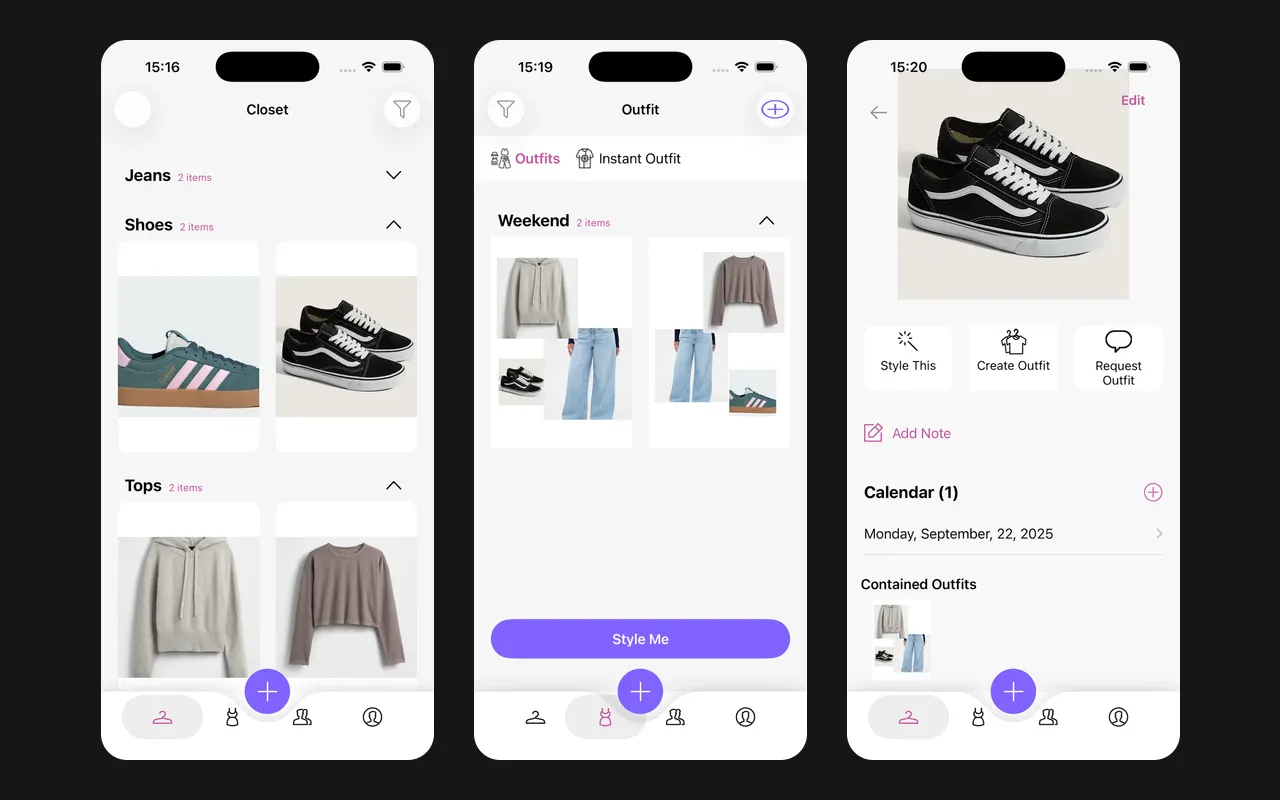
Three Pureple screens: the closet by category, outfit collages with a Style Me button, and a piece with its calendar date

Pureple

Pureple keeps photos of your clothes, shoes and accessories in one closet, sorted by category, season, occasion, colour and brand. You make outfits on a free-form canvas, or let the AI suggest outfits from your closet. The paid plan adds a calendar, packing lists and unlimited background removal.

  • Outfit canvas where you arrange pieces yourself
  • Sorts clothes into categories by itself and imports them from the web
  • Filters by season, occasion, colour, brand, size and price

Suits you if you like to make outfit collages yourself and plan them on a calendar.

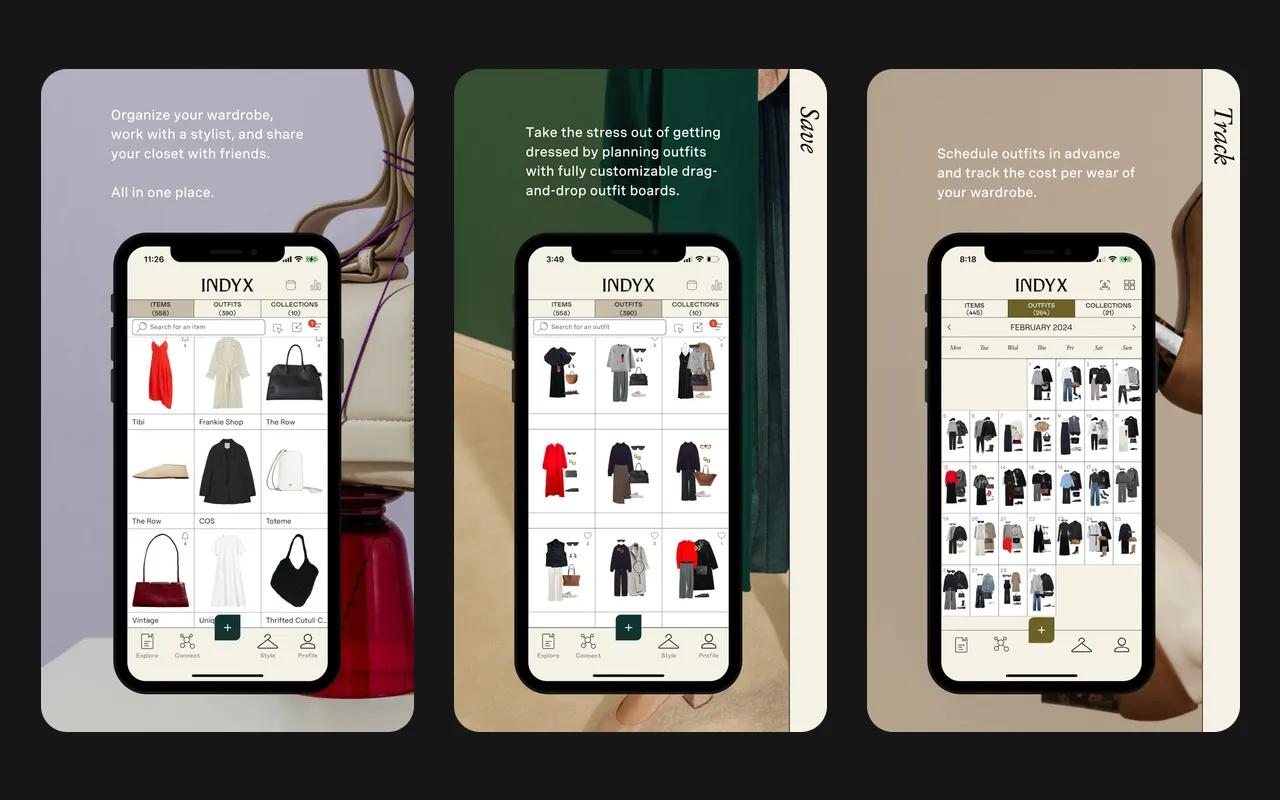
Three Indyx screens: a closet grid, outfit boards, and a month calendar of outfits

Indyx

Indyx turns photos of your clothes into a clean closet: it removes the background and tags category and colour. You plan outfits on drag-and-drop boards, put them on a calendar and see cost per wear. You can share your closet with friends and book paid styling from a real stylist.

  • Unlimited items, outfits and calendar entries for free
  • Background removal and tags for category and colour
  • Add pieces from forwarded shopping receipts or product links

Suits you if you want a clean, free closet and like the idea of a real stylist working with your clothes.

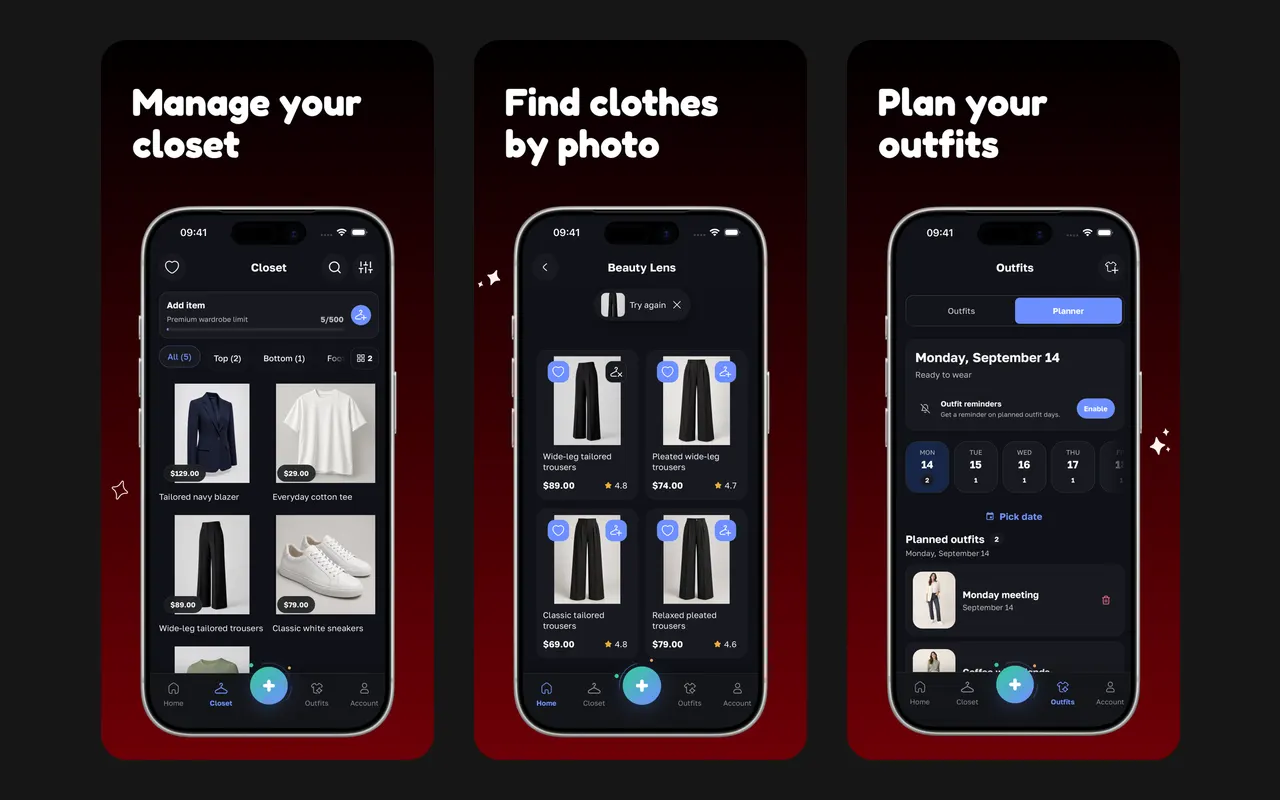
Three Beauty AI screens: a closet grid with prices, Beauty Lens results for trousers, and an outfit planner for the week

Beauty AI

Beauty AI keeps photos of your clothes in a closet and makes outfit ideas for an occasion, the weather and the season. You can plan outfits by date, try a look on your own photo, and get a score and notes on an outfit. Beauty Lens finds similar clothes online from a photo, with shop links.

  • AI outfits from your own clothes for an occasion and the weather
  • Virtual try-on on your own photo
  • Beauty Lens finds similar clothes from a photo

Suits you if you want an AI stylist that also helps you shop for missing pieces.

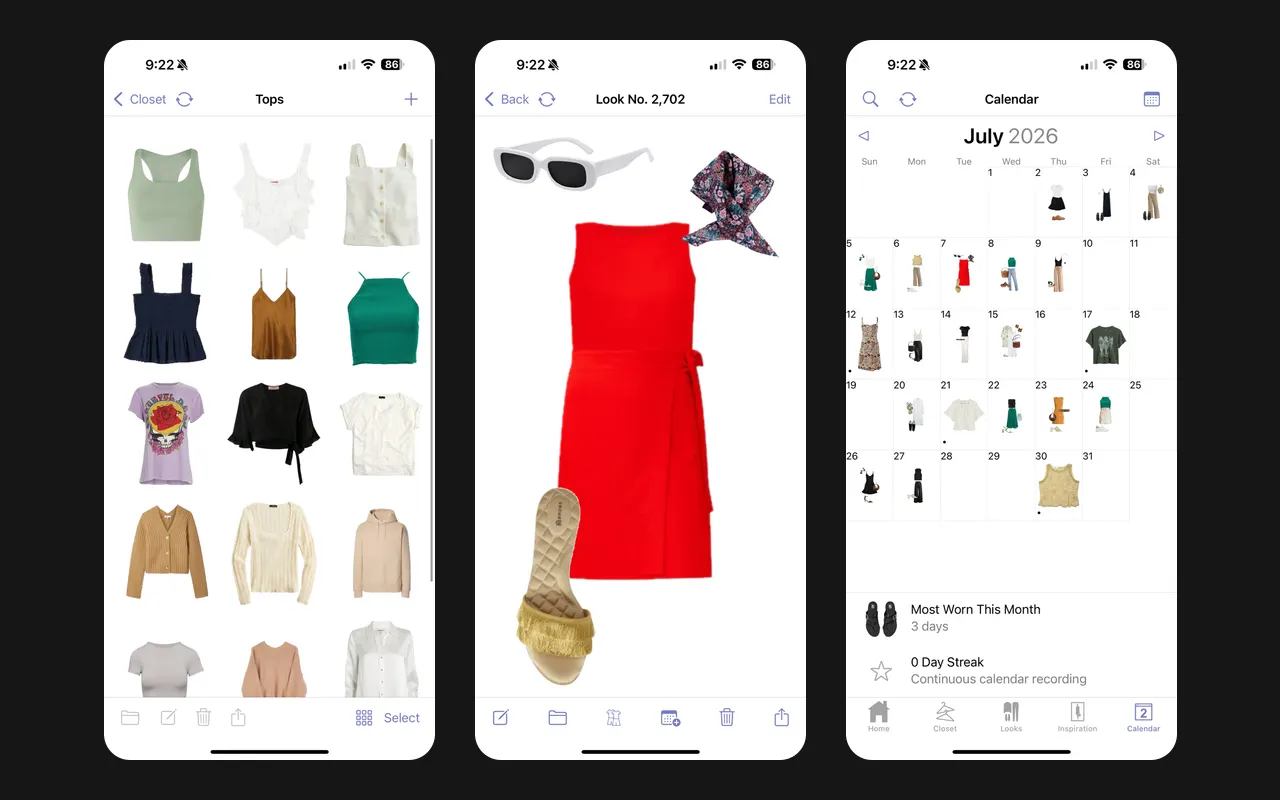
Three Stylebook screens: a grid of tops, an outfit collage, and a month calendar of outfits

Stylebook

Stylebook is a closet organiser for iPhone and iPad, made since 2009 by a small family business. You add your clothes, lay them out into outfit collages, log them on a calendar and see stats such as cost per wear. You pay once, with no limit on items, and your data stays on your device and in iCloud.

  • One price of $4.99, no subscription
  • Free-form canvas for outfit collages
  • Outfit calendar with wear history and cost per wear

Suits you if you use an iPhone and want to pay once for a closet with collages, a calendar and detailed stats.

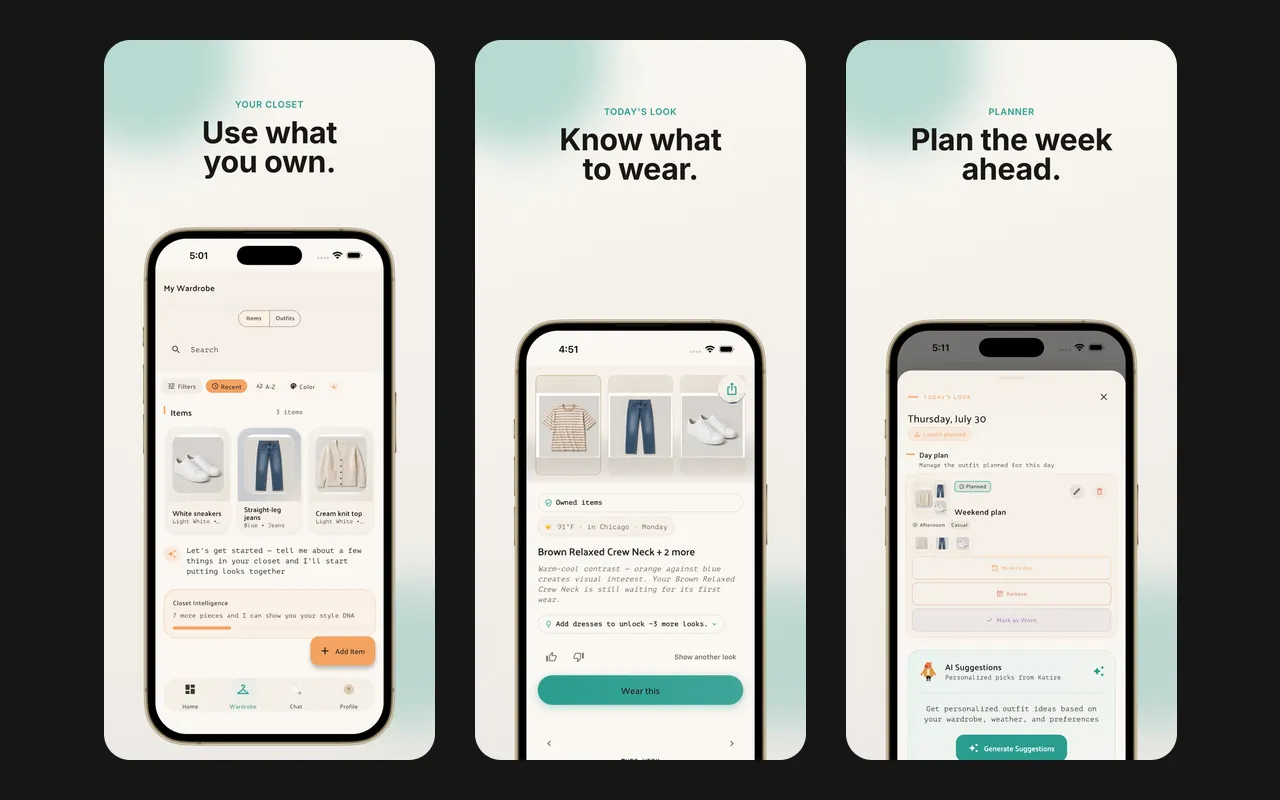
Three Clueless screens: the closet, today's look with the weather, and a day plan

Clueless

Clueless turns the clothes you own into an outfit for today and a plan for the week, with the weather in mind. Its AI stylist answers questions using only the pieces in your closet. There is no free plan: a subscription is needed after the demo.

  • An outfit for today, with a reason why it works
  • Plans a whole week of outfits at once
  • Takes the weather into account

Suits you if you want an AI to plan your week from the clothes you own.

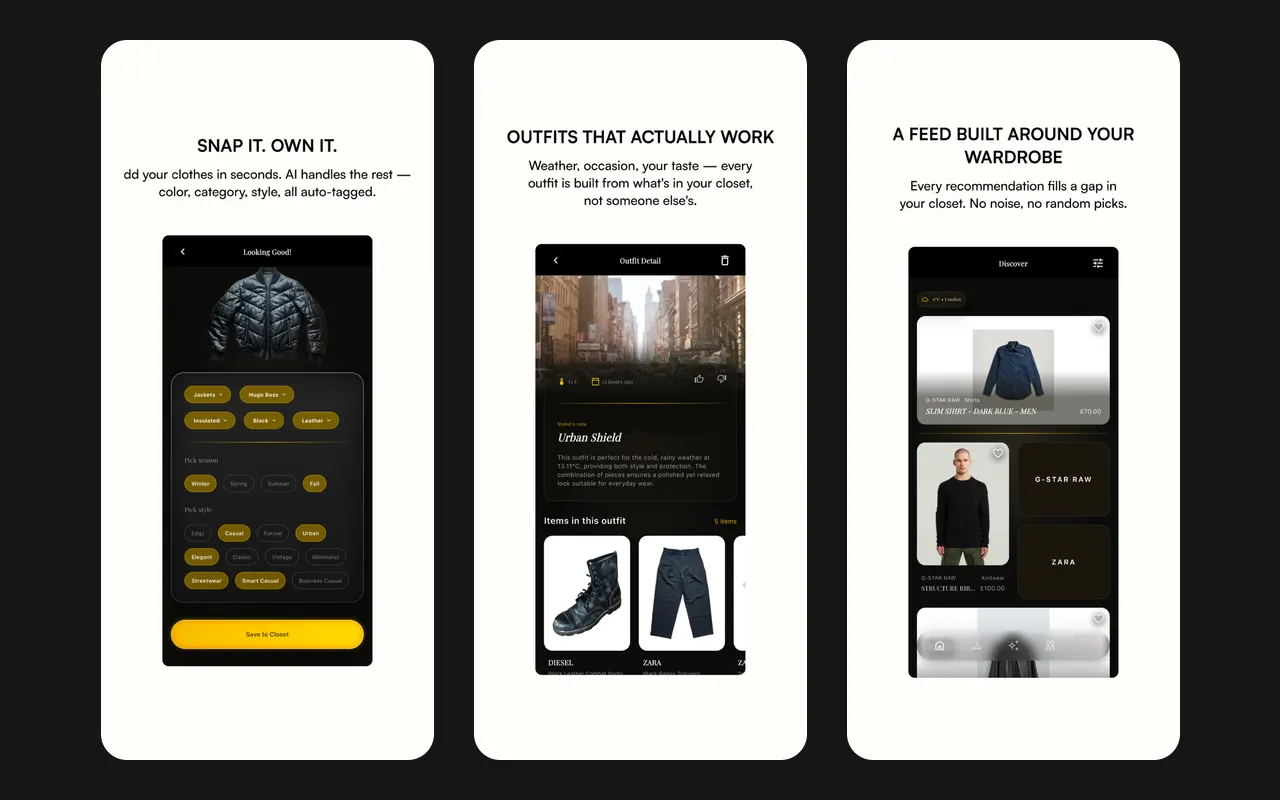
Three Nouva screens: a jacket with its tags, an outfit for the weather, and a shopping feed

Nouva

Nouva is an AI stylist. You photograph your clothes and the app tags each piece and removes the background. It then makes outfits for the weather, the occasion and what you wore recently, and a shopping feed suggests pieces to fill gaps in your closet.

  • Tags category, colour, style and formality from a photo
  • Outfits from your own clothes, for the weather and the occasion
  • Completes a look around a piece you choose

Suits you if you want an AI to pick outfits for you and do not need a calendar or an outfit board.

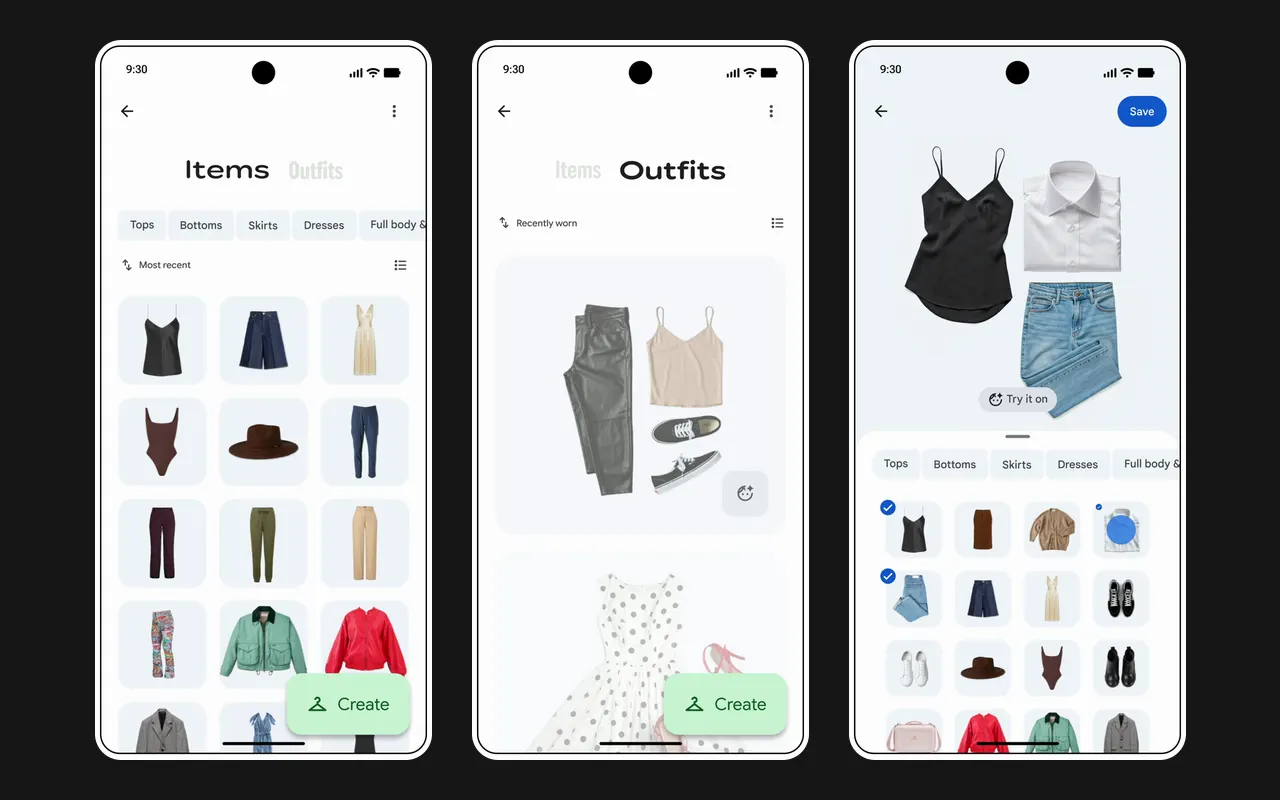
Three Google Photos Wardrobe screens: clothes found in photos, saved outfits, and an outfit with a Try it on button

Google Photos

Wardrobe is a feature inside Google Photos. It scans photos of you from the last 4 years and collects the clothes it finds, sorted by type. You can mix up to 6 pieces into an outfit, save it to a moodboard or share it, and tap Try it on to see the outfit on you. It is open in the US, India and Brazil.

  • No photographing of clothes: it finds them in photos you already have
  • Sorts pieces by type and by when you last wore them
  • Outfits of up to 6 pieces, saved to moodboards

Suits you if you already keep years of photos in Google Photos and want a closet without photographing each piece.

How we compare

  1. We picked 12 closet apps for the clothes you own: the ones named in a 2026 comparison of wardrobe apps, the new Wardrobe feature of Google Photos, and Wearton.
  2. For each one we read its App Store and Google Play listings, text and screenshots, and its maker's website, and marked the 12 features. A feature counts only when one of them shows it.
  3. Lists and tables are in order of features; when two have the same number, the one with more Google Play installs comes first.
  4. Ratings, installs and languages are the numbers the stores showed on October 8, 2026; App Store numbers are from the US store. Wearton is not in the stores yet: its row shows the app as it is today. Images are screens published by each app's maker.

Questions

What is a closet app?

A phone app that keeps photos of the clothes you own, so you can see your whole closet in one place, put outfits together and plan what to wear.

Which apps import clothes I bought online without photos?

Acloset signs in to shops such as Amazon, Zara, Shein and ASOS and reads your purchase history, and it can import from Gmail. Fits and Indyx take shopping receipts you forward by email. Wearton reads an order page or the text of an order email. In the other apps you add each piece yourself.

Which closet apps are free?

Whering, Indyx, Fits and Wearton have a free closet with no item limit. Acloset is free for up to 100 items, Beauty AI for up to 50. Cladwell, Pureple and Nouva are free to start, with paid plans for their stylist features. Stylebook costs $4.99 once. Clueless needs a subscription after its demo.

Which apps find my colours?

Wearton, Acloset, Fits, Cladwell and Beauty AI. Wearton finds your colour season, undertone and palette from one selfie and shows on every piece whether it suits you. Cladwell's photo analysis is part of its paid plan, on iPhone and iPad.

Is the Google Photos wardrobe a separate app?

No. Wardrobe is a feature inside Google Photos. Since September 2026 it is open in the US, India and Brazil. It finds clothes in photos of you from the last 4 years; without a Google AI Pro or Ultra plan you need more than 1,000 photos of yourself.

Which closet apps work on Android?

All of them except Stylebook, which is for iPhone and iPad only. Wearton is not in Google Play yet. Whering and Wearton also have a web app with the same closet.